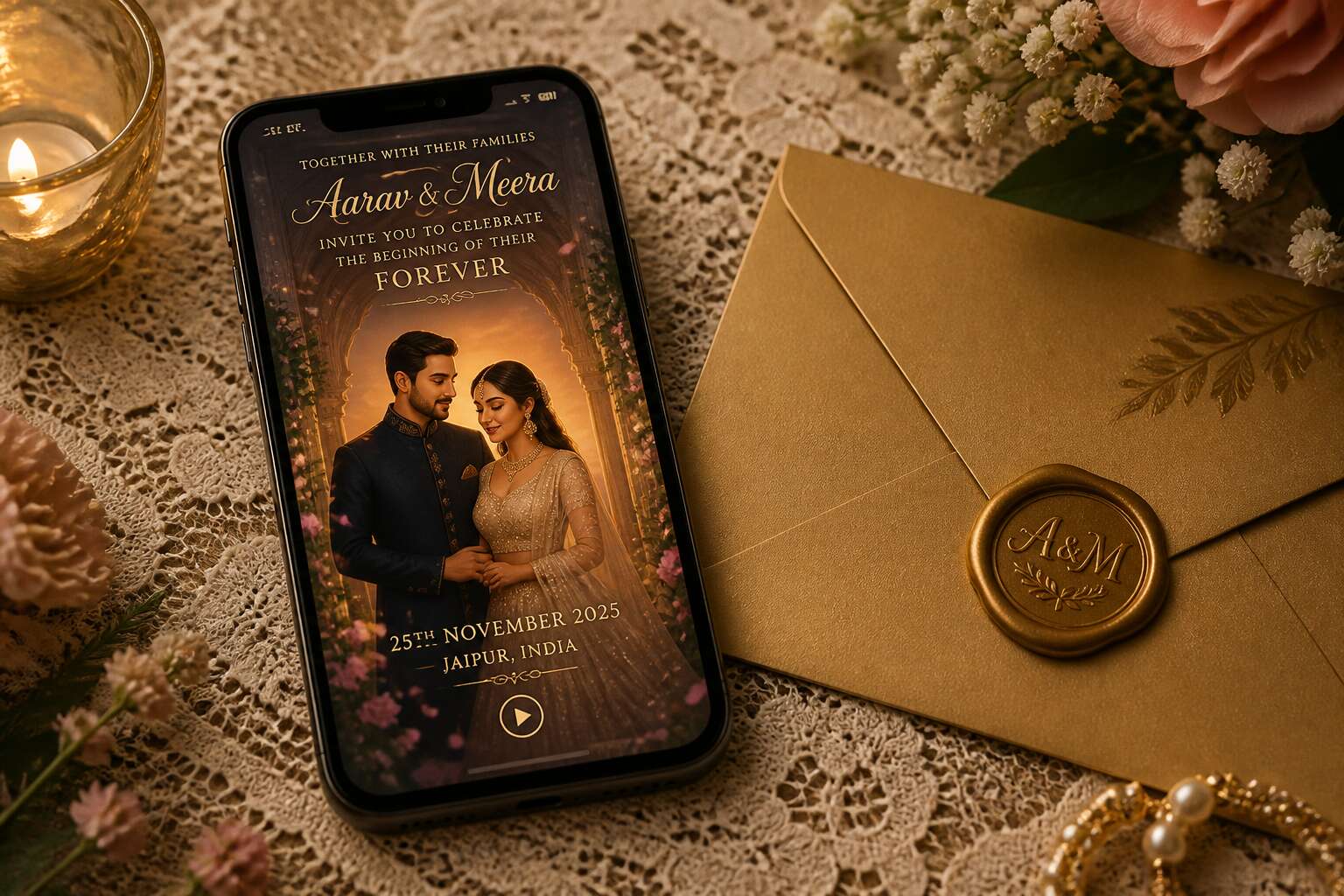
Why Motion Announcements Are Redefining Modern Celebrations
The Shift from Print to Pixels
A 2023 survey found that 78% of South African couples under 35 now choose screen based announcements. Paper still matters, but as a memento. For actual news, a digital video wedding invitation delivers tone, timing, and texture. You hear the excitement in your cousin’s voice. You see the sunset behind the venue!
I learned this when planning my own wedding. Motion replaces distance with presence. It lets you share:
- The venue tour that makes grandparents feel included.
- The playlist snippets that set the mood.
- The couple’s own words, spoken instead of typed.
The shift from print to pixels is permanent. It redefines how we celebrate because it redefines how we connect.
Emotional Impact Through Film and Sound
Sound carries what paper cannot. A digital video wedding invitation lets a mother hear her daughter’s laugh before the ceremony, or lets a friend catch the tremble in a groom’s voice during rehearsal. These small audio details create a feeling of being present. They turn a date on the calendar into a memory you have already started to live.
I remember watching my own invitation video and noticing the wind chimes at the venue. That sound made the decision feel real. Motion announcements are redefining modern celebrations because they add a layer of texture to the announcement itself. The film shows the light at golden hour. The audio reveals the mood. Guests arrive with a sense of the day, with the details already felt.
Viral Sharing Potential and Guest Excitement
When a digital video wedding invitation lands in a WhatsApp group, recipients forward it before they finish watching. That is the viral nature of motion. A static card sits on a fridge. A film travels through family chats, work colleagues, and old school friends.
Guest excitement builds from the first frame. People plan outfits and travel arrangements the same evening. They reply with voice notes and emojis. The invitation becomes a talking point at braais and dinner tables.
Consider what this means for attendance:
- Guests feel personally invited, not mass notified.
- The couple’s story reaches people who cannot attend.
- Word of mouth multiplies before the date arrives.
That excitement carries straight into the wedding day itself.
Crafting a Compelling Narrative for Your Big Day
Structuring Your Story Arc
In Johannesburg, a bride once told me her wedding film should start with an empty chair. That detail became the fulcrum of the entire arc. A digital video wedding invitation is a miniature epic, not a highlights reel. You must decide what moment breaks the tension before you ever press record.
Consider three movements: the inciting incident, the turning point, the vow. Each scene should carry weight, but not equal weight. Give your audience one breathless pause, one secret smile, one quiet ache. Arrange those beats with ruthless intention. If every moment screams, none of them sing.
- Open with a half truth, like a question asked at dawn.
- Let the middle twist toward a shared memory.
- End on a promise that feels inevitable.
The structure should mirror how you actually fell in love, with all its sideways glances and delayed reveals. Resist chronology. Embrace the fracture. A digital video wedding invitation that moves in straight lines forgets that memory itself is a haunted house, where every door opens onto a different version of you.
Selecting the Perfect Visual Aesthetic
A digital video wedding invitation is an exercise in visual restraint. The aesthetic should serve the narrative, not compete with it. Choose colours that echo your venue’s light, textures that mirror your memories, and typography that feels like your handwriting.
In Cape Town, I watched a couple turn a grey winter sky into their backdrop. They leaned into the overcast light, letting muted blues carry their story. That choice, deliberate and quiet, made every frame feel intimate.
Consider how each visual element behaves across devices. Motion should guide the eye, not distract it. Text should breathe. The pace of your cuts should match the emotional weight of each scene.
Reviewing dozens of invitations, I notice three shared signatures:
- A recurring motif that ties scenes together
- A consistent colour grade across all footage
- A final frame that lingers after the video ends
Music Licensing and Royalty-Free Options
Most couples spend more time choosing a hashtag than clearing music rights. A digital video wedding invitation relies on a soundtrack that amplifies the narrative, yet the wrong track can ruin months of planning. Music follows the story’s pace, from the nervous energy of getting ready to the calm of the final frame.
Licensing is the unglamorous side of creativity. Copyright law does not care about your love story. A royalty free track from a reputable library avoids the headache, but not all libraries are equal. Some require attribution, others restrict usage to non commercial projects.
- Creative Commons with attribution
- Paid subscriptions with blanket coverage
- Custom scores from emerging composers
The license choice dictates how your digital video wedding invitation can be shared and viewed.
Keeping It Concise: Ideal Length and Pacing
I have seen wedding films lose their audience by the fifteenth second. Your digital video wedding invitation should run no more than ninety seconds! Attention is finite. A lingering frame becomes a test of patience. Pacing determines whether the story feels urgent or exhausting. Many South African couples overstuff their invitation with locations and relatives. The result is a blur. The most compelling version is built around three quiet moments:
- The stillness before the ceremony.
- The trembling hand.
- The final look over the shoulder.
Each image must feel necessary. A scene that does not deepen the narrative has no place. The strongest versions end before the viewer is ready. They leave a small lacuna, a space of unfinished longing. The RSVP then arrives as an act of closure.
Production Routes From DIY to Professional Studios
Fully Automated Mobile Apps
A digital video wedding invitation can cost nothing or as much as a weekend away. Between those extremes lie three production routes. The DIY route requires patience with editing software, but gives total control over every cut and colour. Professional studios offer a curated experience, with dedicated teams handling filming, animation, and sound design. Fully automated mobile apps compress the process into a few taps, using smart templates to generate a ready to share video.
Consider what matters more to you: artistic ownership, polished craft, or raw speed.
- DIY suits creative couples who enjoy hands on work.
- Professional studios fit larger budgets and specific visions.
- Automated apps work for anyone facing a tight deadline.
Understanding these routes prevents missteps. In South Africa, the demand for a digital video wedding invitation has pushed studios and app developers to refine their offerings, so you can choose based on your priorities.
Hiring a Freelance Videographer
The DIY route to a digital video wedding invitation demands hours with editing software, but the result bears your fingerprints entirely. Professional studios offer a different trade. They bring directors, animators, and sound engineers who have done this a hundred times before. Hiring a freelance videographer splits the difference.
Consider this breakdown:
- Freelance videographers charge between R5,000 and R20,000 per project, depending on experience.
- They often provide their own camera and lighting equipment.
- You keep direct communication with one person instead of a studio team.
A freelancer can shoot your engagement story, edit the footage, and animate the final invitation in a single workflow. I have seen couples in Cape Town and Johannesburg use this route to blend professional polish with a personal touch. The digital video wedding invitation market in South Africa now supports a wide range of creative professionals! That is a trade worth making when you want craft without the corporate overhead.
Leveraging After Effects and Motion Graphics
The production route from DIY to professional studios often hinges on After Effects. Motion graphics can turn a static photo sequence into a living narrative. I have seen editors take a simple venue pan and add parallax depth, or animate hand-lettered names over a Cape Town backdrop!
Building a polished digital video wedding invitation usually involves:
- Animated typography that lands on the beat of the soundtrack
- Monogram reveals with particle effects
- Color grading from warm golden tones to cool evening blues
- Camera-style transitions between scenes
The gap between a slideshow and a cinematic piece sits in these details. After Effects gives you keyframe control over every element, from fade timing to the rotation of a decorative wreath. Some couples learn the software through tutorials, while others hand the project to a motion designer. Both routes produce a digital video wedding invitation that stands apart from a plain video file.
Budgeting for Different Production Levels
Budgeting for a digital video wedding invitation means choosing your production route honestly. A DIY approach using consumer software can cost under R500, but it demands hours of learning curves and patience. Semi-pro options, like hiring a freelance editor with a template library, usually land between R2,000 and R6,000. Full professional studios, however, quote from R15,000 upward, depending on animation complexity and revision rounds.
The price gap reflects labour, not snobbery. A studio brings structured workflows, dedicated sound mixing, and project management that a solo editor simply cannot replicate in a weekend. Consider what your timeline tolerates:
- DIY: lowest cash outlay, highest time cost
- Freelance: middle ground with guided input
- Studio: highest cost, fully managed delivery
Most couples find their sweet spot in the middle, where a professional eye still shapes the final piece without the full studio retainer.
Reviewing and Collecting Feedback from Loved Ones
Production routes for a digital video wedding invitation range from your own solo edit to a studio with project management software. Each route changes how you collect feedback. With DIY, you are the editor, the client, and the therapist for everyone with an opinion.
When you ask loved ones for their thoughts, be specific. Instead of “What do you think?”, ask “Does the pacing drag?” or “Is the sound mix clear?” This saves you from vague responses. A structured approach works best:
- Share the draft with one trusted friend first
- Group feedback by theme, not by person
- Ignore comments about your uncle’s hat
Professional studios often manage feedback for you, but you still need to gather it. The goal is a polished digital video wedding invitation, not a committee project. Your aunt’s opinion matters, but so does your deadline.
Strategic Delivery and Guest Etiquette
Timing Your Launch Around Save-the-Dates
The digital video wedding invitation demands a precise moment of arrival. If it precedes the save-the-date, it loses its force. If it follows the formal invitation, confusion arises. The ritual of announcement depends on this order.
After the save-the-date has settled in each guest’s mind, launch the video. This renews their intention. For guests traversing South Africa’s long distances, the early warning proves essential.
- Send the video three to five weeks after the save-the-date.
- Consider regional travel seasons.
This schedule respects the guest’s planning without infringing on their anticipation.
Email vs. Private Link vs. Social Media Sharing
The delivery of your digital video wedding invitation carries its own etiquette. Email offers intimacy and directness. A private link grants control over who views and when. Social media sharing, while tempting, risks reducing the ceremony to fleeting content.
For South African families spread across provinces, email paired with a private link proves most reverent. The invitation arrives quietly, personally. Social media, by contrast, broadcasts to everyone at once, diminishing the moment’s weight. I have watched couples wrestle with this decision. The medium shapes the message. A private link demands attention, while a public post invites distraction.
Personalizing Messages for Different Guest Groups
In a country with 11 official languages, sending one identical invitation to every guest is a shortcut to cultural flatulence. Strategic delivery demands segmentation. Your aunt in Polokwane deserves warmth; your boss in Sandton deserves restraint.
Personalize the accompanying message for each recipient. For family, add a voice note. For colleagues, keep it crisp. For the groomsmen, perhaps a private link with outtakes. Here is the hierarchy of personalization:
- Immediate family: full emotional context
- Extended relatives: clear logistics
- Work acquaintances: polite brevity
The medium remains the same, but the framing shifts. A digital video wedding invitation is not a broadcast; it is a conversation. Treat it as such, and your guests will feel seen, not spammed.
Managing Privacy Settings and Password Protection
In South Africa, a digital video wedding invitation moves through WhatsApp groups and email threads before reaching the intended guest. Each share increases the risk of unwelcome viewing. Privacy settings are not a technical afterthought; they define who earns access to your story.
Set a password for the video link. Share that password separately, perhaps by voice note or SMS. This act forces intentionality. A guest who receives a password pauses before forwarding. They consider whether the bride’s cousin should see the tears during the vow reading. Often, they decide no.
- Restrict the video to specified email domains
- Revoke access after the wedding date
- Apply a visible watermark with the recipient’s name
Guest etiquette follows from this restraint. Protecting a digital video wedding invitation signals the significance of the moment. Your colleagues in Sandton will respect the professionalism. Your aunt in Polokwane will feel chosen.
Handling Accommodations for Elderly or Less Tech-Savvy Relatives
My grandmother in Durban still calls the link a “picture book.” A digital video wedding invitation can exclude the relatives who raised us, unless we build a bridge. Deliver the video on a loaded tablet during a family visit. Schedule a call where you walk them through the link. Send a printed QR code alongside the email.
- Call them before sending the invite
- Prepare a simple one page guide
- Offer to watch together over video call
These small steps let an elder feel chosen, not challenged. When that happens, the entire family follows with warmth. This is the quiet labor of guest etiquette.
Tracking Open Rates and Resending Reminders
When you send a digital video wedding invitation, the open rate shows you exactly who has watched the film and who has not. Some relatives click within an hour; others let the email sit for weeks. Tracking those numbers lets you plan follow ups without blind guessing.
Resending a reminder is a matter of tact. The most effective reminders arrive ten days before the RSVP deadline, with a subject line that references a personal moment, such as the couple laughing on screen. A phone call works for grandparents, while a text suits cousins. The goal is to make the follow up feel like a warm thought, not a chore. The invitation should remain a joy to receive, even the second time.
Measuring Impact and Housekeeping After the Send
Integrating RSVP Tracking Features
The sends are done. Your inbox fills with replies, questions, and one very aggressive poem from a plus-one. Measure impact through click paths, watch time, and the frantic emails from Aunt Linda asking if she needs to bring a hat. The real metric is your RSVP dashboard.
Integrating RSVP tracking features turns your invitation into a practical system. Housekeeping after the send means checking for duplicates, flagging dietary requests, and confirming plus-ones before the venue charges per plate. Here’s what to automate:
- Live guest count updates
- Automatic reminders for non-responders
- Dietary restriction tags
- Plus-one validation
These features reduce confusion, I promise! You’ll spot the cousin who RSVP’d twice and the uncle who typed his meal preference in all caps. With clean data, you can finalize catering numbers without a spreadsheet error. Your digital video wedding invitation did its job; now you just need to deal with the seating chart.
Following Up with Guests Who Didn’t Watch
Your digital video wedding invitation is a tool, not a keepsake. After the send, measure impact through watch time, click paths, and the frantic emails from Aunt Linda. The real metric is your RSVP dashboard. Housekeeping after the send means checking for duplicates, flagging dietary requests, and confirming plus-ones before the venue charges per plate. Follow up with guests who didn’t watch using a personal touch. A quick WhatsApp voice note works better than a third automated reminder. For the stubborn non-viewers:
- Send a short text from the couple, not the event platform.
- Include a screen grab of the most cinematic frame.
- Mention the catering deadline.
That last point moves people. You will spot the cousin who RSVP’d twice and the uncle who typed his meal preference in all caps. Clean data means you can finalize numbers without a spreadsheet error. Your digital video wedding invitation did its job. Now you deal with the seating chart.
Archiving Your Creation as a Keepsake
Once the RSVP dust settles, the real work begins. Your digital video wedding invitation is a record of intent, not a passive link. Track who watched, who clicked, and who vanished after the first scene. That data shapes your seating chart and your catering numbers. Housekeeping after the send means scrubbing duplicates and spotting the uncle who typed his meal preference in all caps.
Archiving your creation as a keepsake protects its magic. Save the raw footage, the final cut, and the awkward first draft. Store them somewhere that outlasts your phone and your cloud subscription. For South African couples, a printed USB stick hidden in a drawer beats a dead server.
- Export the highest resolution format
- Keep a backup with a trusted relative
- Include the unlisted YouTube link




0 Comments